
On this page
Purchase Refund
Updated 31 October 2026
A Purchase Refund records money a supplier pays back to you. It is created from either a Purchase Credit or a Purchase Payment on Account, using the Refund button on that transaction.
- You can record a full or partial refund.
- The refund is in the same currency as the original transaction. On foreign currency transactions, any difference caused by the exchange rate creates an FX gain or loss.
To see all of your refunds, open Aedon.Purchases and click the Purchase Refunds tab.
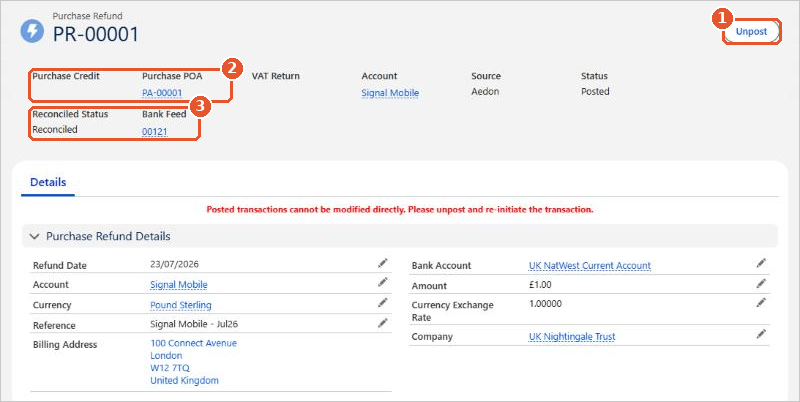
- Unpost(1) reverses the refund. See Making Changes to a Purchase Refund.
- Purchase Credit or Purchase POA(2) links to the transaction the refund came from.
- Reconciled Status and Bank Feed(3) show whether it has been reconciled to your bank statement.
Posting rules
| Code | Transaction | Debit | Credit |
|---|---|---|---|
| PR | Purchase Refund | [Bank Account] | Accounts Payable |
The debit goes to the nominal code of the bank account the money was paid into. The credit always goes to Accounts Payable. A Purchase Refund has a single line.






















