
Budget Layers
Updated 31 October 2026
Budget layers let you record figures alongside your actual transactions, so that you can compare them in your reports. Actual transactions are always in the Actual layer. Budget journals are posted to a budget layer of your choice.
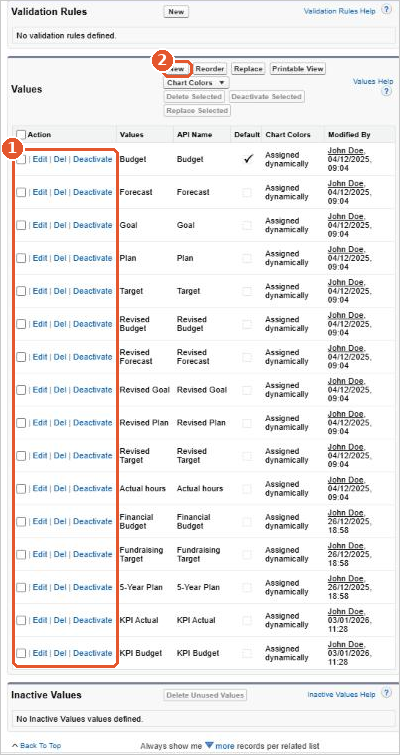
Each layer is separate, so you can use them for different purposes, for example:
- an annual budget, a revised budget or a forecast
- a five-year plan
- sales or fundraising targets
- department, project or personal budgets
Names such as Budget, Forecast, Plan, Target and Goal help to make each layer distinct.
Set budgets at any level
Budget journal lines can carry a company, product, bank account and any of the analysis codes, just like actual transactions. You can then compare actual and budget figures at the same level, for example for each project or fund.
Use budget layers
- To enter budget figures, create a budget journal and choose its layer. When you import budget journals, the layer must be filled in. See Creating Budget Journals.
- To compare actual and budget figures, filter or group your reports by Layers. See Financial Reports.
- To rename or remove a layer, see Editing Budget Layers and Deleting Budget Layers.
Watch it step by step: click through the interactive walkthrough below.
Out of date? Let us know and we’ll update the walkthrough.






















