
On this page
Purchase Order
Updated 31 October 2026
A Purchase Order records what you have agreed to buy from a supplier before their invoice arrives. It has no effect on your accounts: it creates no ledger entries and can’t be posted. When the supplier bills you, you convert the order into a Purchase Invoice, which copies the supplier, dates and lines across.
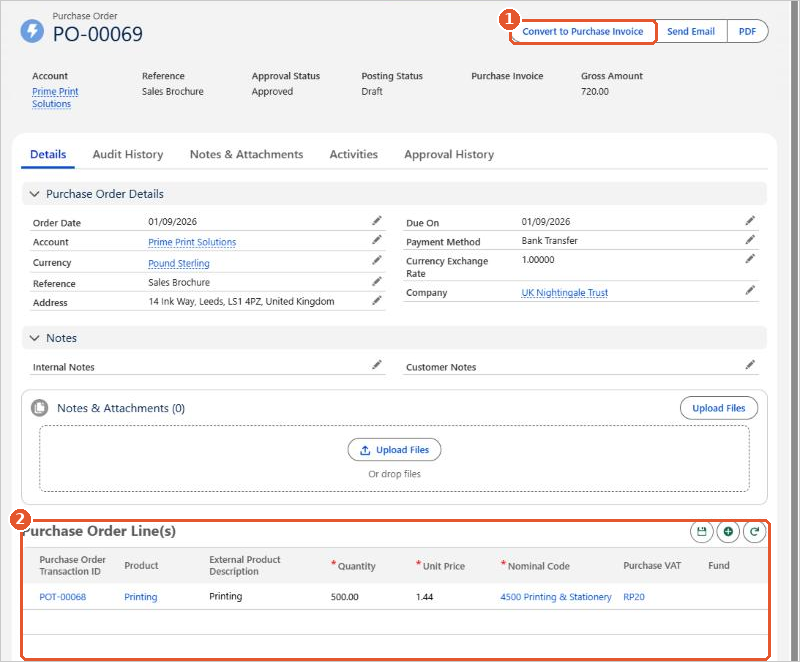
- Convert to Purchase Invoice(1) creates a draft Purchase Invoice from the order. Send Email and PDF let you send the order to the supplier.
- Purchase Order Line(s)(2) list what you are ordering, with the nominal code each line will be posted to on the invoice.
To see all of your orders, open Aedon.Purchases and click the Purchase Orders tab.






















