On this page
Making Changes to a Purchase Order: Editing & Deleting a Purchase Order
Updated 31 October 2026
A Purchase Order creates no ledger entries, so the lock date doesn’t apply to it and every change is simply recorded in its Audit History.
Edit a Purchase Order
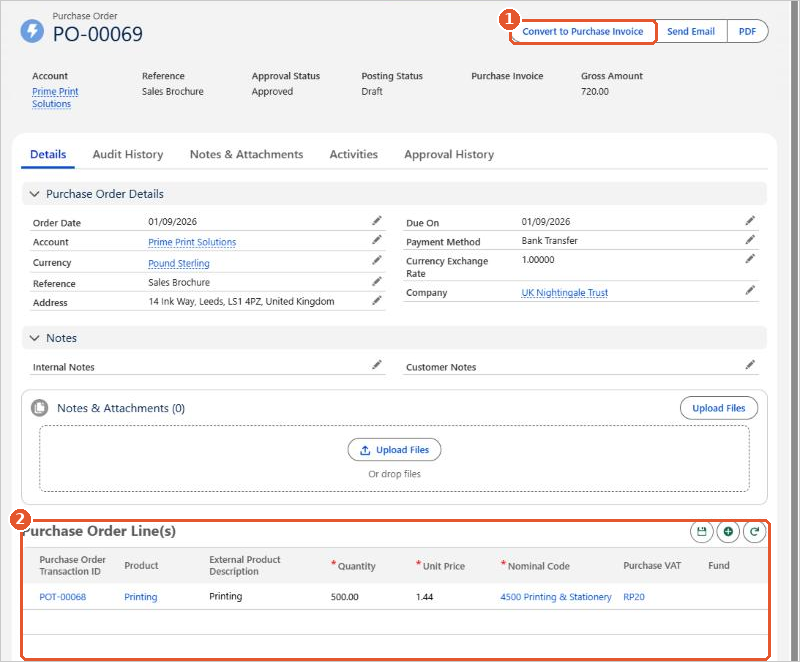
While the order’s Posting Status is Draft, you can change any field with the pencil icons, and change the lines in Purchase Order Line(s) before clicking the save icon above them.
Delete a Purchase Order
If you no longer need a draft order, click Delete and confirm. If you can’t see a Delete button, please raise a case and we’ll help.
After it’s converted
Once an order has been converted to a Purchase Invoice, it can’t be changed or deleted, and the conversion can’t be reversed. Make any changes on the Purchase Invoice instead.