
On this page
Making Changes to Analysis Codes
Updated 31 October 2026
After an analysis code has been set up, you can rename it and add, change or delete its values.
Rename an analysis code
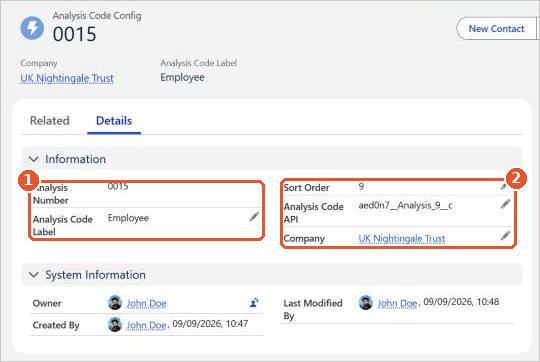
Open the Aedon.Setup app and click the Analysis Code Configs tab. Open the config and change the Analysis Code Label or the Sort Order. Don’t change the Analysis Code API, because it links the label to its analysis code. See Creating New Analysis Codes.
Add a value
- Open the Aedon.Admin app and click the Analysis Codes tab.
- In Choose an Analysis Code, choose the analysis code.
- Click New, enter the Name and Description, and click Save.
Change or delete a value
- On the Analysis Codes tab, choose the analysis code.
- Click the value’s name to open it.
- Click Edit, change the details and click Save. Or click Delete to remove a value you no longer need.






















